
Convert your WeatherXM WG1200 gateway in to a LoRa Mesh tri-protocol or a full Meshtastic node
In WeatherXM mode, your paired weather station can publish to WeatherXM, Meshtastic and MeshCore at the same time. In Full Meshtastic mode, the WG1200 itself becomes a native Meshtastic client/router. Switch safely over USB; WeatherXM identity, cloud credentials and the factory recovery slot remain intact.
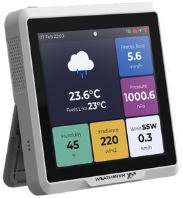
Connect Gateway over USB
Plug in the WG1200 via USB-C, then authorize the serial port.
Select "USB Serial" in the popup window listing the two ports of WG1200. If it’s busy or silent, try USB JTAG/serial debug unit. Why?
- USB Serial (e.g. cu.usbserial on Mac / CH340) (Recommended) — Hardware UART bridge for flashing & console logs.
- USB JTAG/serial debug unit (e.g. cu.usbmodem on Mac) — Native on-chip USB peripheral.
WeatherXM WG1200
Connected & Verified- Chip
- ESP32-S3
- Flash
- 16 MB (Quad SPI)
- Active slot
- —
- Keystore
- —
- Currently booting
- —
- Target slot
- —
Choose how this WG1200 should operate
Protected credentials and the factory recovery image remain untouched in either mode.
WeatherXM Tri-Protocol Gateway
Keeps the WG1200 as a full WeatherXM weather gateway while also publishing its paired station to open LoRa mesh ecosystems. Mesh publishing is configurable and does not replace WeatherXM operation.
- WeatherXM cloud, app, rewards and OTA remain active
- Turns the paired weather station into Meshtastic-compatible sensor telemetry
- Publishes the same weather observations as MeshCore sensor-node telemetry
- Local REST / Home Assistant access stays available
Full Meshtastic Node
Turns the WG1200 itself into a native Meshtastic device. WeatherXM station/cloud services pause while this mode is active; your WeatherXM identity stays protected so you can switch back at any time.
- Native Meshtastic client, routing and messaging operation
- Uses the WG1200 SX1262 radio and TFT display directly
- Works with standard Meshtastic web, iOS and Android clients
- WeatherXM credentials and factory recovery image remain protected
Installing Firmware…
Preparing flashing pipeline
Flashing Encountered an Issue
An unexpected error occurred.
Firmware Switch Successful!
Your gateway has been safely flashed and rebooted.
Next Steps for WeatherXM Tri-Protocol
The gateway boots into normal WeatherXM operation first. Confirm Wi-Fi connectivity and verify that the paired weather station and cloud link are healthy.
Check the IP address on the gateway's About screen to access the local LAN web console, where you can enable and configure Meshtastic and/or MeshCore weather telemetry.
WeatherXM cloud operation stays active while selected observations are also emitted in Meshtastic and MeshCore-compatible sensor formats.
Next Steps for Meshtastic Mesh Node
Open the Meshtastic Web Client, or download the app for Android or iOS.
Select your regulatory frequency region (e.g. EU_868 or US_915) to enable the LoRa SX1262 radio.
Your WeatherXM credentials remain intact in protected flash. You can return to WeatherXM at any time.
Ambiguous Boot Metadata Detected (Recovery Mode)
The otadata boot pointers on your gateway are corrupted or in an invalid state. Rather than silently modifying flash, choose a recovery action below:
View full partition map, partition table MD5 status, otadata sequence counter, and cert fingerprint.
Dumps or restores the complete 16 MB flash chip. Contains bootloader, partition table, factory recovery, and device credentials.
Erases otadata sectors to 0xFF, rolling back immediately to the preserved factory recovery WeatherXM partition (0x020000).